

Why DB Analytics Is a Better Google Analytics Alternative for WooCommerce Brands
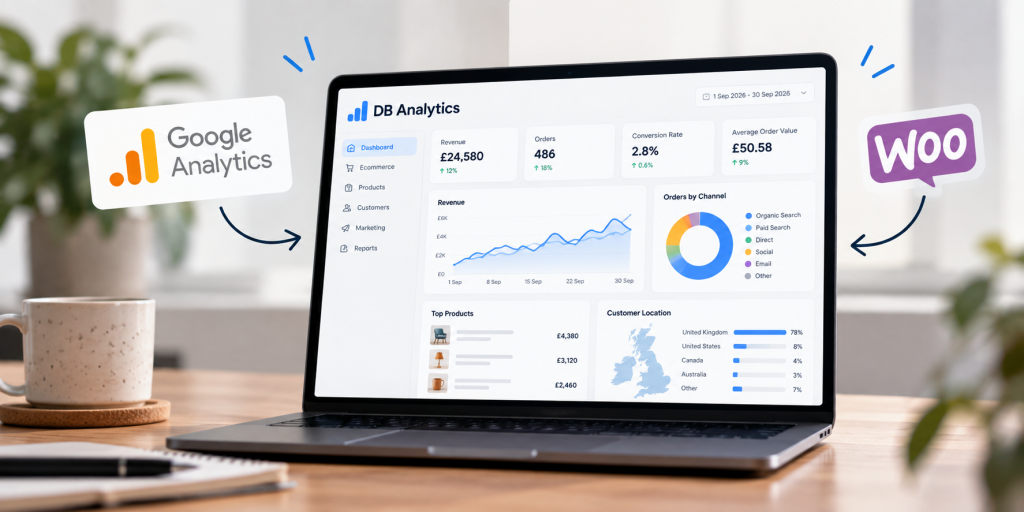
Google Analytics 4 is a powerful analytics platform. It is especially useful for understanding digital journeys across websites and apps, building event-based measurement and connecting activity back into the wider Google advertising ecosystem.
But a WooCommerce brand has a slightly different problem to solve. It does not only need to know what somebody clicked. It needs to understand what was actually sold, which products drove the order, where the customer came from, what happened before purchase and whether the marketing that influenced the sale was commercially worthwhile.
That is where DB Analytics becomes particularly useful. It gives us a more ecommerce-focused measurement layer for brands running on WooCommerce, while still allowing GA4 to do the jobs it is good at.
The aim is not to replace one dashboard with another for the sake of it. It is to create a clearer picture of revenue, behaviour and marketing performance — then use that picture to make better decisions.
WooCommerce does not need more dashboards. It needs a reliable commercial picture.
Ecommerce teams already have plenty of numbers. WooCommerce records orders. Payment gateways record transactions. Advertising platforms report conversions. GA4 records events. Email platforms track campaigns. Search platforms report clicks and impressions.
The problem is that those systems often answer different questions, use different attribution rules and record different versions of the same customer journey.
If you only look at one platform, it is easy to mistake its version of the journey for the whole truth.
We prefer to separate two things: commercial truth and behavioural context.
Your store is the strongest source for completed orders and revenue. Analytics should then explain the journey around those outcomes: how people arrived, what they viewed, where they dropped out, which campaigns influenced demand and what changed when performance moved.
The useful part is not collecting data. It is connecting the right layers.
Orders, revenue, products, basket values and the ecommerce actions taking place inside WooCommerce.
Entry pages, product views, searches, add-to-basket activity, checkout progression and user journeys.
Organic search, paid campaigns, email, social, promotions and other signals that influenced demand.
Decide what to scale, fix, test, reduce or investigate next — using evidence rather than a single platform’s attribution model.
Why GA4 can be difficult as the only source of truth for WooCommerce
GA4 is built around events. That flexibility is one of its strengths: almost any meaningful interaction can be measured if the implementation has been configured correctly.
The trade-off is that ecommerce reporting depends heavily on the quality of that implementation. Purchase events, product parameters, consent behaviour, cross-domain journeys, browser restrictions and tag configuration can all affect what ends up in the interface.
That does not mean GA4 is “wrong”. It means it is an analytics system, not your accounting system and not your WooCommerce order database.
For brands using Google Ads, GA4 can still be an important part of the stack. It is useful for campaign integration, audience building and event-based analysis. But we do not want a marketing platform to be the only place where an ecommerce team decides how much it sold or which parts of the customer journey deserve attention.
Direct WooCommerce integration gives revenue a stronger starting point
DB Analytics is designed to work closely with the ecommerce platform itself. For WooCommerce brands, that means we can build reporting around the store’s actual commercial activity and then layer website behaviour around it.
That matters because a completed WooCommerce order is a much more useful anchor for ecommerce analysis than a purchase event viewed in isolation.
From there, we can ask better questions. Which product categories are creating the strongest revenue? Which landing pages are associated with higher-value orders? Which traffic sources bring customers who actually buy? Which products attract interest but repeatedly fail to convert?
Our Automattic and WooCommerce experience also matters here. Analytics is far more useful when the people interpreting it understand how the store, checkout, plugins, feeds and integrations are actually working underneath the report.
Event tracking should explain the journey, not replace the sale
Event tracking is still essential. A purchase tells you that the customer converted. It does not tell you whether the journey was easy, where other customers abandoned it or which parts of the experience created friction.
For that, we want to see the steps around the order.
The sale is the outcome. The journey tells us what to improve.
Landing pages, campaigns, search visibility and the first content or product a visitor encounters.
Product views, categories, internal search, filters, comparisons and other signals of buying intent.
Add-to-basket, basket value, checkout starts, payment progression and the points where customers leave.
Completed orders, revenue and product mix — the commercial result the rest of the journey should help explain.
Use WooCommerce to tell you what was sold. Use analytics to understand how the customer got there — and what to improve next.
DB Analytics gives ecommerce teams a clearer working source of truth
When we talk about a “source of truth”, we do not mean that every platform will suddenly show exactly the same number. Different systems will continue to have different purposes and attribution logic.
We mean having one reporting environment where the business can consistently answer the commercial questions it cares about, without rebuilding the analysis every month from screenshots and exports.
For a WooCommerce brand, that usually means keeping orders and revenue at the centre, then adding the marketing and behavioural context needed to interpret them.
The result is a reporting view that is closer to the way an ecommerce team actually thinks: what sold, why did it sell, what changed, and what should we do next?
Better analysis starts with better questions
A dashboard can tell you that revenue is up or down. Useful analysis tells you where to look next.
That is the difference between reporting activity and creating commercial insight.
The numbers become useful when they change a decision.
What are customers looking for?
Use landing pages, internal search, product views and category behaviour to identify where demand is building.
Where does intent disappear?
Compare product interest, basket activity and checkout progression to find the journeys losing customers.
What is actually creating value?
Look beyond product views and compare revenue, order contribution, basket value and conversion behaviour.
Which traffic deserves more budget?
Connect channel and campaign behaviour to commercial outcomes rather than optimising against clicks alone.
What should we test on the site?
Use behaviour to prioritise CRO work where it has the strongest chance of affecting revenue.
What changed outside the website?
Interpret performance alongside promotions, stock, media spend, seasonality and other factors the website cannot explain on its own.
Greater data ownership and control gives you more room to analyse
Analytics is not only about what a platform can display today. It is also about how much control you have over the data you collect, retain and use in future analysis.
DB Analytics gives us greater control over the way website and ecommerce data is structured for reporting. That makes it easier to build analysis around the business rather than forcing every question into a standard platform report.
It also supports a more deliberate privacy setup. Consent still matters, and the correct implementation depends on the site, the data being collected and the legal basis being used. Tools such as Cookiebot can form part of that wider consent and measurement architecture.
The important point is that privacy, tracking and analytics should be designed together. They should not be three separate jobs that happen after the ecommerce site has already launched.
External context can explain performance that analytics alone cannot
One of the most useful parts of a more flexible analytics stack is the ability to bring other commercial context into the conversation.
Imagine a garden furniture retailer sees conversion rate and paid media efficiency improve dramatically over a long weekend. The website may not have changed at all. The important variable could be the weather.
A fashion retailer may see a spike in a category because a promotion started. A specialist manufacturer may see lead quality change because paid search moved into a different query set. A retailer may see product demand fall because the strongest-selling size or colour went out of stock.
None of those explanations live neatly inside a standard analytics report. They come from combining website behaviour with business context.
This is especially useful when DB Analytics is used alongside our PPC work, because we can look beyond platform-reported conversions and ask whether the spend is producing the kind of commercial outcome the business actually wants.
The same revenue number can have four very different explanations.
Temperature, rain or sunshine can materially change demand for seasonal products and services.
Discounts, launches, email sends and merchandising changes can shift both traffic quality and conversion.
Changes in spend, targeting, search terms or creative can alter the type of customer arriving on the site.
Availability, product mix and price changes can explain conversion shifts that would otherwise look like a marketing problem.
DB Analytics vs GA4: ecommerce analytics checklist
The existing comparison is useful, but the important distinction is not “which platform has more features?”. It is which platform is better suited to the commercial question you are trying to answer.
DB Analytics and GA4 solve overlapping — but not identical — problems.
| Feature / requirement | DB Analytics | GA4 |
|---|---|---|
| WooCommerce sales tracking | Designed around direct ecommerce reporting so orders and revenue can sit at the centre of the analysis. | Relies on ecommerce events and parameters being implemented and received correctly. |
| Revenue as a reporting anchor | Keeps commercial outcomes central, then layers behaviour and acquisition around them. | Strong event reporting, but purchase totals can differ from the store because GA4 is not the order ledger. |
| Product-level ecommerce insight | Built to analyse products, categories, order contribution and buying behaviour together. | Available when item-level ecommerce parameters are implemented correctly. |
| Event and journey tracking | Tracks the behaviours needed to explain product discovery, basket activity, checkout and conversion. | Excellent event-based model with flexible custom event configuration. |
| Checkout and abandonment analysis | Can be shaped around the actual WooCommerce journey and the steps most useful to the business. | Possible through correctly configured ecommerce events, funnels and explorations. |
| Paid media performance insight | Lets us compare marketing activity against the ecommerce outcomes we want to optimise. | Particularly strong for native Google Ads integration, audiences and Google attribution workflows. |
| Customer journey analysis | Built around practical website and ecommerce journeys, with reporting shaped to the questions the team needs to answer. | Powerful path and funnel analysis, but often requires configuration and a good understanding of GA4’s event model. |
| First-party data control | Greater control over how website analytics data is collected, organised, retained and used in reporting. | Data is processed within Google’s analytics ecosystem, with export options available for more advanced use cases. |
| Privacy and consent flexibility | Can be configured as part of a wider privacy-first analytics and consent setup. | Supports Consent Mode and privacy controls, but implementation still needs careful configuration. |
| Custom commercial context | Easier to build reporting around additional business signals such as campaigns, promotions, stock or weather analysis. | Custom dimensions and external analysis are possible, but often require additional setup or data tools. |
| Day-to-day ecommerce reporting | Designed to give marketing and ecommerce teams a clearer, more commercially readable working view. | Highly capable, but the standard interface is broader and not specifically designed around WooCommerce operations. |
| Best role in the stack | Primary ecommerce and website performance view for commercial analysis and ongoing optimisation. | Strong companion platform for Google ecosystem integration, event analysis and additional validation. |
Comparison reflects the way we use the platforms for managed WooCommerce measurement. Exact capabilities and reported figures depend on implementation, consent configuration, integrations and the events being collected.
Why DB Analytics is a strong GA4 alternative for WooCommerce
The strongest reason is not that DB Analytics does everything GA4 does in a different interface.
It is that we can build the reporting around the commercial reality of the store: products, orders, revenue, journeys, channels and the questions the business actually needs to answer.
That makes it easier to use analytics as part of day-to-day decision-making rather than treating it as a specialist platform somebody opens once a month to extract charts.
It also means GA4 can take a more appropriate role. Keep it where it is useful. Use it to support Google advertising, event analysis and additional validation. But do not force every ecommerce reporting question through it simply because it is the platform everybody already has installed.
Build a more measurable analytics stack with DB Analytics
Better ecommerce measurement normally comes from a stack, not a single tool.
WooCommerce tells us what was ordered. DB Analytics helps us connect those outcomes to onsite behaviour. GA4 can add another behavioural and advertising view. Paid media platforms tell us how campaigns are optimising. Consent tools shape what can be measured. Commercial context helps us understand why performance changed.
The value comes from joining those signals together and deciding which system should be trusted for which question.
That is also how we approach wider conversion rate optimisation, paid search and ecommerce development. Measurement is most useful when it is connected to the work that can actually change the result.
You do not need one platform to claim every conversion. You need a measurement stack that helps you make better commercial decisions.
DB Analytics gives WooCommerce brands a clearer way to connect revenue, products, customer behaviour and marketing performance — while keeping GA4 and the wider Google ecosystem in the places where they continue to add value.